

Sendmode, a leading supplier of Enterprise Level Bulk SMS & WhatsApp Messaging Solutions have released a new feature giving our customers the ability to use 2-way SMS AND keep your branded Sender Name.
Normally for 2 way SMS you need to use either a dedicated Virtual Mobile Number (VMN) or one from our Repliable list. Not anymore!!!
We have created a simple way for you to do 2 Way SMS while keeping your branded SenderName in place. It is very easy to setup and use.
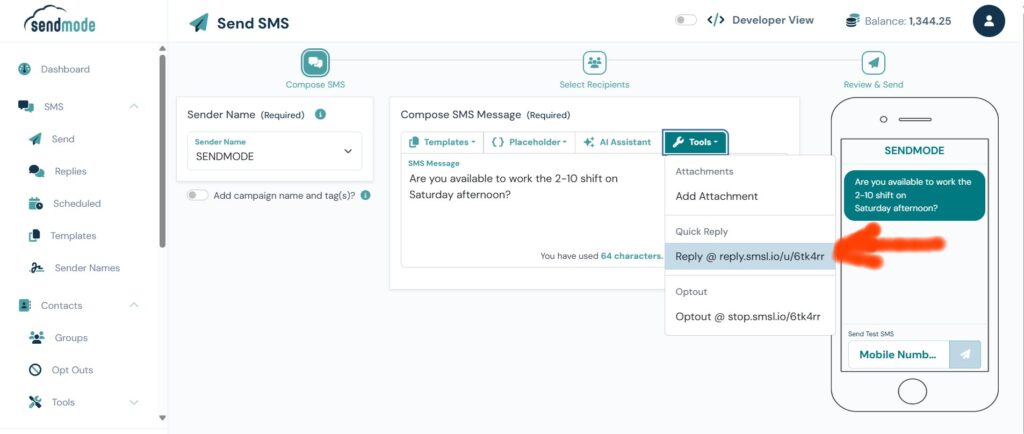
Step 1. Add the Reply link when sending your SMS.
In the Send SMS screen click on Tools and you will see a new item called Quick Reply. Add this link to your SMS.
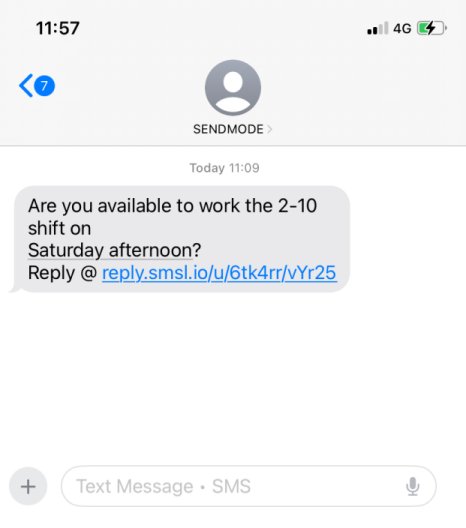
Step 2. The link will arrive in the SMS at your customers phone.
Note: The message has arrive with the SenderName ‘SENDMODE’ not a mobile number.
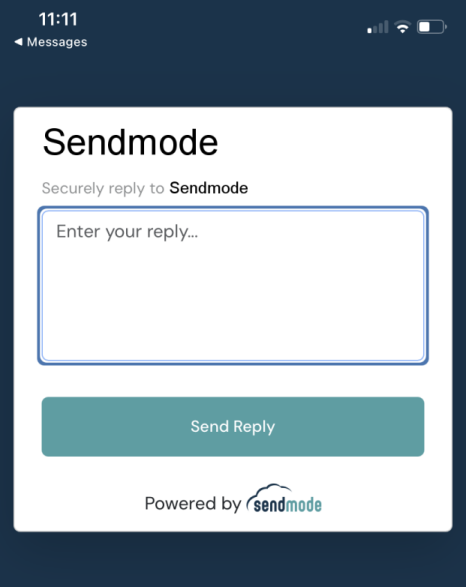
Step 3. When Customers click the link they can reply securely.
Clicking the link will bring customers to a secure page where they can type in their reply message back to you.
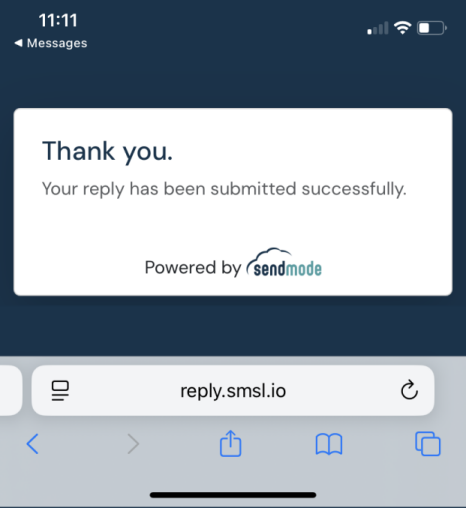
Step 4. All Replies go back into your account.
Note: When your customer replies you can see clearly all the replies.
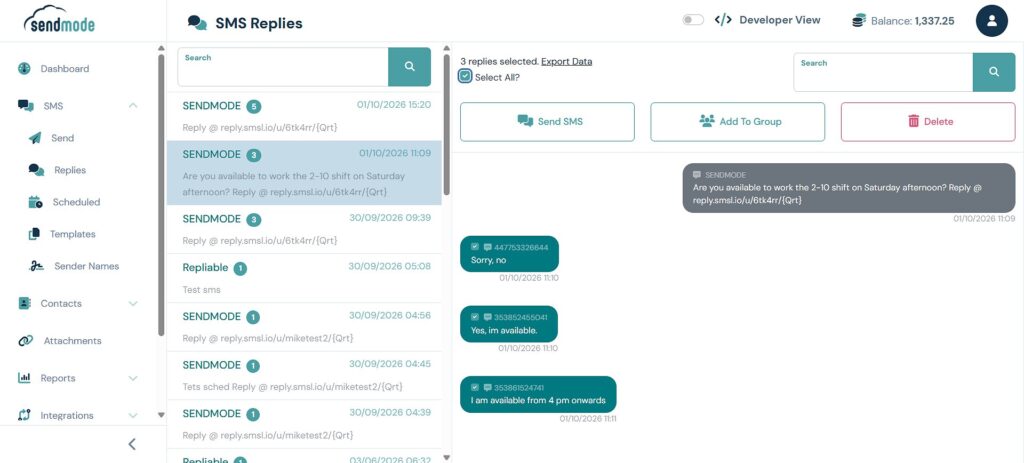
Goto SMS->Replies and then click on the message you sent out. You will now see all the replies on one screen. From here you can choose what to do next; send them an SMS, Export all Replies or Add them to a Group for future messages.
And thats it. You can now easily add Two Way SMS functionality AND keep your branded SenderName.
If you have any questions on this feature please contact us at [email protected] at any time.
Thanks,
John